 CueFlow
Manage all your prompts right where you use them
Save, organize, and replay your prompts right in your browser — no context switching.
CueFlow
Save, organize, and replay your prompts right in your browser — no context switching.
"I'm sick of scrolling through old conversations just to find the previous AI's response."
"I save my prompts in a doc, but then I have to switch tabs, find it, copy it, switch back, and paste it every single time."
"I use a text expander for quick prompting, but I keep forgetting what shortcuts I even set up."
The session tab shows all your prompts at a glance. Click any one to instantly scroll to it in the conversation — no more endless scrolling.
Write or save a prompt in the sidebar, then inject it directly into the AI's input field with one click. No copy-paste needed.
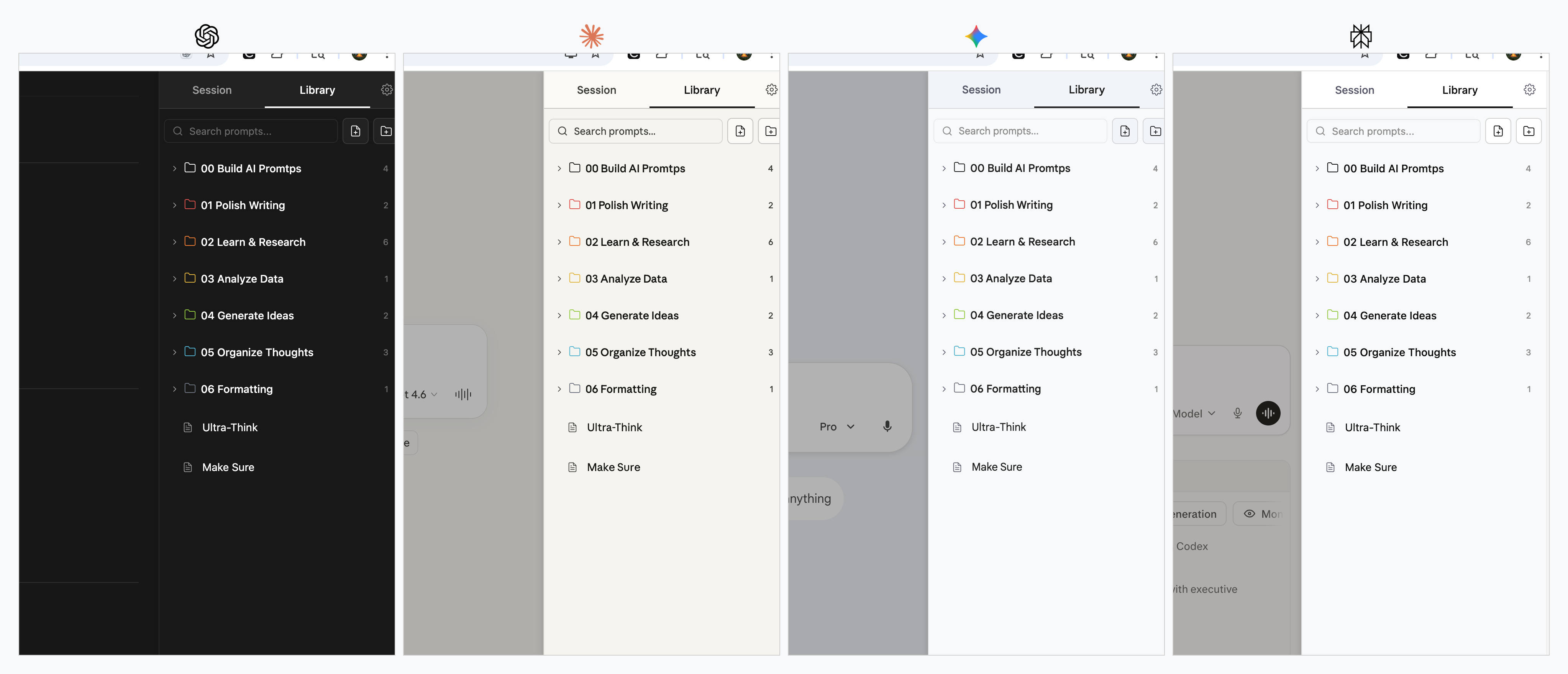
The same CueFlow sidebar appears on all four major AI platforms. Your prompts travel with you — save once, use everywhere.
Open the popup UI from any website to browse, copy, or manage your prompts. Your prompt library is always one click away, no matter where you are.
Simple, transparent pricing for every type of AI explorer.
Billed annually at $34.99/yr
Save 42% vs monthly
Pay once, own forever.
Yes. The free tier gives you 25 saved prompts and lets you sync your saved prompts across ChatGPT, Claude, Gemini, and Perplexity.
After purchasing, you'll receive a license key via email (format: CF-XXXX-XXXX-XXXX). Open the CueFlow sidebar on any supported AI platform, go to the Settings tab, paste your key, and click Activate.
Yes. Your Pro license key works on any Chrome browser where CueFlow is installed. Simply enter the same key on each device. Cross-device library sync is on our roadmap.
Yes. All your saved prompts are stored locally in your browser using Chrome's built-in storage. Nothing is sent to external servers — your data stays on your device.
Your saved prompts and folders remain intact. You keep access to Pro features until your current billing period ends. After that, you return to the free tier (25 prompt limit, no folders or hotkeys).